From Blog Post to Working Agent: Building an Intune CIS Compliance Checker with Azure AI Foundry
May 19, 2026

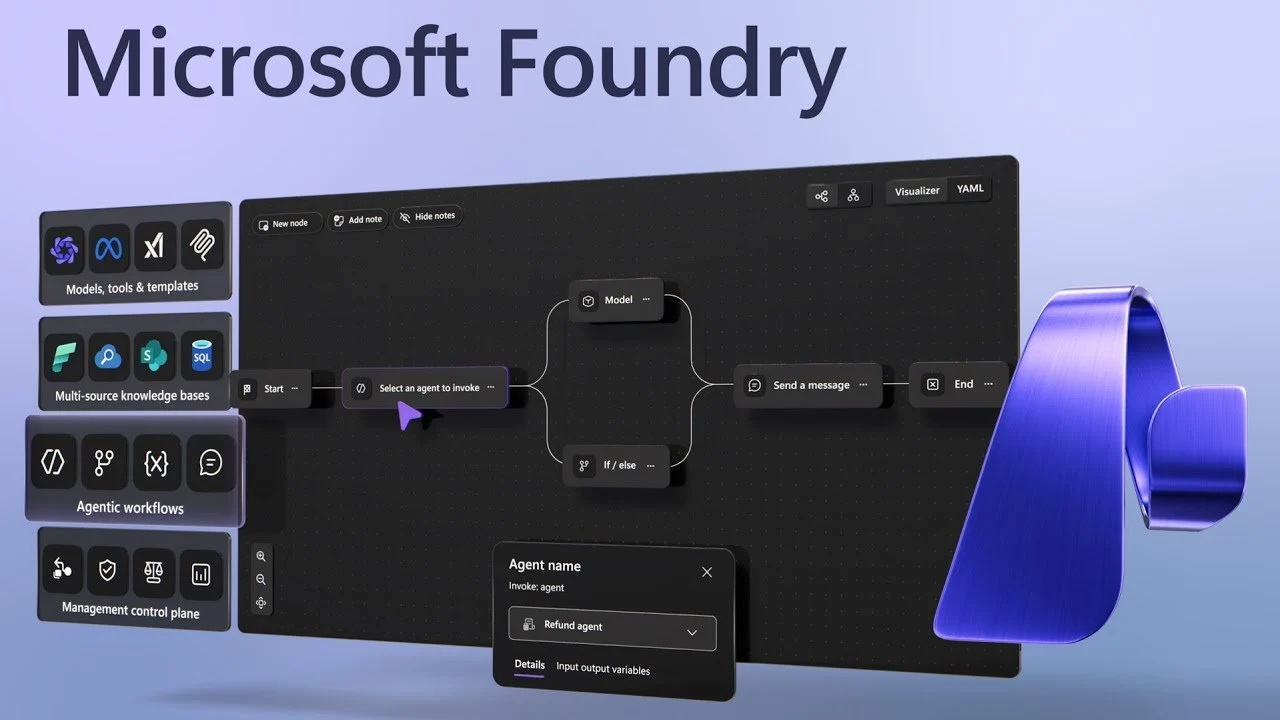
How Jannik Reinhard’s open-source Intune agent became the foundation for an AI-powered CIS benchmark compliance tool
The spark
A few months ago I came across Jannik Reinhard’s blog post on building your own Intune agent with Microsoft Foundry. Jannik is well known in the Intune community for his tooling and automation work, and his post did something rare: it showed me in clear steps how to create a working, deployable example of an Intune agent in Microsoft Foundry that talks to a real Microsoft Graph endpoint — not a toy demo, but something I could actually plug into my own tenant.
Reading it, I felt confident that I could extend his framework with my specific use-case: an Agent that could check the CIS benchmark compliance of my Intune policies. The agent Jannik built answers general Intune questions. But what if it could also compare what it finds against the CIS Windows 11 Benchmark? Instead of just telling you what your configuration profiles contain, it could tell you whether those settings are compliant with a recognized security standard — and what to do if they are not.
That idea became this project.
What I built
The Intune CIS Compliance Agent is a hosted AI agent that:
- Connects to your Intune tenant via Microsoft Graph
- Reads your device configuration profiles, compliance policies, and device inventory
- Cross-references that data against the CIS Windows 11 Benchmark v4.0
- Answers plain-English questions about compliance gaps and remediation steps
You run it inside Azure AI Foundry as a kind: hosted agent, and interact with it through the Foundry playground — no custom UI needed.
Example questions it can answer:
- “Is CP-Win-SC-Baseline compliant with CIS benchmark recommendations?”
- “Which Windows devices are non-compliant and what policies are they missing?”
- “Search CIS benchmarks for firewall settings”
- “What are the remediation steps for benchmark 5.1.1?”
Standing on Jannik’s shoulders
I started from Jannik’s IntuneAgent repository. The core architecture he established — a Microsoft Agent Framework agent, Microsoft Graph helpers, @ai_function-decorated tools, and a Dockerfile targeting the Foundry responses protocol — was exactly the right foundation. I kept that structure and layered in three things:
1. CIS benchmark data Unfortunately you can only download PDF formatted CIS Benchmark files, which present some additional challenges and introduce higher token consumptions for most agents.
Luckily I got some help and magic from Claude Code that helped me to extract the CIS Windows 11 Benchmark v4.0 controls into a benchmarks.json file and built a CISBenchmarkDatabase class that supports category lookups, keyword search, and direct ID lookups. The benchmark data lives locally in the container — no external API call required to check a control.
Note: I’ll share more on my CIS Benchmark PDF to JSON convertion in the next post.
2. Settings-level profile inspection
Intune stores configuration profiles across three separate Graph API endpoints: Settings Catalog (/configurationPolicies), Legacy templates (/deviceConfigurations), and Administrative Templates (/groupPolicyConfigurations).
With help from Claude Code I extended Jannik’s original get_device_configuration_settings tool to fetch the actual per-setting values from each profile and normalizes them into a format the LLM can compare against benchmark expectations, ensuring it included Settings Catalog, Legacy Templates and Administrative Templates settings.
The tool accepts an optional profile_name parameter. When provided, it passes $filter=name eq '...' (Settings Catalog) or $filter=displayName eq '...' (Legacy) directly to the Graph API — so only the matching profile is fetched, and settings details are retrieved only for that one profile. This reduces a query about a specific profile from potentially 15+ sequential Graph API calls down to 2, and cuts the LLM context from a full tenant dump to a single profile. When profile_name is omitted, the tool falls back to fetching everything — useful for broad compliance surveys.
3. Compliance assessment tools
And with the help from Claude Code I added three new agent tools — get_cis_benchmarks, search_cis_benchmarks, and assess_compliance_status — to give the agent everything it needs to answer compliance questions: what the benchmark recommends, what severity applies, and what the exact remediation steps are.
The harder part: making it actually work in Foundry
The agent logic was relatively straightforward. The interesting engineering was in making the container work correctly as a Foundry hosted agent. Foundry’s kind: hosted protocol sits between the playground UI and your container, and there are some gaps between what Foundry sends and what the Agent Framework’s development server expects.
I worked through five issues, each one revealed only after the previous was fixed.
Issue 1 — The container exited immediately
Running locally, main.py dropped into an interactive input() loop and worked as expected.
In a container, stdin is not a terminal — the first input() call immediately hits EOF and the process exits.
Foundry sees the container crash within seconds of starting. It took me a little while to understand the log messages and work with Claude Code on a fix.
Claude Code Fix: Check sys.stdin.isatty() at startup. If there is no terminal, skip the interactive loop entirely and start an HTTP server. If there is a terminal, run the interactive loop as normal.
if not sys.stdin.isatty():
    # start HTTP server
else:
    # interactive loop
Issue 2 — Health probes returned 404
Foundry sends GET /readiness probes before routing any traffic to the container. If those probes fail, Foundry kills the container before a single user request arrives. The Agent Framework’s serve() helper exposes /health — but not /readiness or /liveness, which Foundry requires.
Claude Code Fix: Use DevServer directly instead of serve(), get its underlying FastAPI app, and register the missing routes:
devserver = DevServer(port=8088, host="0.0.0.0", ui_enabled=False)
devserver.set_pending_entities([agent])
app = devserver.get_app()

@app.get("/readiness")
def readiness():
    return {"status": "ready"}

@app.get("/liveness")
def liveness():
    return {"status": "alive"}
Issue 3 — The responses endpoint returned 404
Foundry calls POST /responses. DevServer listens on POST /v1/responses. Foundry does not let you configure the path it calls.
Claude Code Fix: A pure ASGI middleware class that rewrites the path in the request scope before forwarding:
if scope["type"] == "http" and scope.get("path") == "/responses":
    scope = dict(scope)
    scope["path"] = "/v1/responses"
    scope["raw_path"] = b"/v1/responses"
Using a pure ASGI class (rather than FastAPI’s BaseHTTPMiddleware) matters here: BaseHTTPMiddleware buffers the entire response before forwarding it to the client, which silently breaks streaming. A pure ASGI class passes the send callable through unchanged, so SSE frames flow out in real time.
Issue 4 — The request returned 400: Missing entity_id
DevServer routes requests to a specific registered agent using metadata.entity_id in the request body. Foundry’s Responses protocol does not send this field.
The entity_id is generated with a random UUID suffix at startup — something like agent_in_memory_intunecomplianceagent_14fd26e737bb47a29d00501a2576f13e — so it cannot be hardcoded.
Claude Code Fix: In the middleware, resolve the entity_id at request time by calling the executor’s entity discovery, then inject it into the buffered request body before forwarding:
executor = await devserver._ensure_executor()
entities = executor.entity_discovery.list_entities()
entity_id = entities[0].id  # cached after first call

data = json.loads(raw_body)
data["metadata"].setdefault("entity_id", entity_id)
_ensure_executor() initializes once and caches the result, so the per-request overhead is negligible.
Issue 5 — The stream was cancelled one second into execution
This one was subtle. The request returned 200 OK, the agent started executing, the LLM credential was obtained — and then CancelledError. The log showed:
ClientSecretCredential.get_token_info succeeded
[CANCELLATION] Execution cancelled via CancelledError
ERROR: ASGI callable returned without completing response.
The bug was in _patched_receive, the callable I substituted for the original receive so DevServer would read the patched body instead of the original. After the body was consumed, subsequent calls returned {"type": "http.disconnect"} immediately.
In ASGI, the server calls receive() a second time during streaming to detect client disconnection. My function answered “yes, the client disconnected” before they actually had — causing DevServer to cancel the in-flight LLM call.
Claude Code Fix: Forward subsequent calls to the real receive rather than faking a disconnect:
async def _patched_receive():
    nonlocal consumed
    if not consumed:
        consumed = True
        return {"type": "http.request", "body": patched_body, "more_body": False}
    return await receive()  # forward to real receive for disconnect detection
After this fix, the agent ran to completion and the Foundry playground showed a full response.
The result
The full fix sequence — five issues, five deployments — took a morning. Each issue was only visible after fixing the previous one, which is what made it interesting rather than frustrating. The container logs were clear at every step.
The end result is an agent that:
- Starts cleanly in a Foundry container (no TTY crash)
- Passes health probes immediately on startup
- Accepts requests from the Foundry playground
- Routes them correctly to the in-memory agent
- Streams the response back in real time
- Keeps working across container restarts (entity_id looked up fresh each time)
demo host: Esther Barthel
What I learned (with a lot of help from Claude Code)
The Microsoft Agent Framework is genuinely useful. The @ai_function decorator handles JSON schema generation, parameter validation, and tool registration automatically. Writing a tool is just writing a Python function with type hints and a docstring. The framework takes care of the rest.
Foundry’s kind: hosted protocol is powerful but under-documented. The Responses protocol v1 is the right approach for bringing your own agent infrastructure — but the exact contract between Foundry and your container (which paths it calls, which metadata it sends, which fields it requires) is not fully spelled out in the public docs. Fortunately for me Claude Code was able to read the DevServer source code and filled in the gaps.
Pure ASGI middleware is the right tool for this job. Any time you need to intercept streaming HTTP — whether to rewrite a path, inject a header, or modify a request body — reach for a pure ASGI class. BaseHTTPMiddleware looks simpler but will silently break anything that streams.
The CIS benchmark is a solid target. The CIS Windows 11 Benchmark v4.0 has 300+ controls covering Security Options, User Rights, Firewall, Credential Guard, and more. Having those controls as structured data that an LLM can query gives the agent a credible, externally validated baseline to reason from — much better than asking the model to rely on training-time knowledge of what “secure” means. So a big thanks to Claude Code for offering a manageable solution to translate the PDF content to a structured JSON format.
What’s next
I’m fully aware that right now, my additions make a great demo, but is nowhere near production ready.
Here are a few things I want to add:
- Remediation output formatting — the agent’s compliance answers are accurate but verbose. A structured output format (compliant / non-compliant / not-configured per control, with a summary table) would make the results easier to act on.
- Multi-tenant support — the current design assumes a single tenant. With minor changes it could accept a tenant parameter per query and rotate credentials accordingly.
- Cleanup of the required environment variables— Initially I struggled with understanding the different ways the required environment variables were being set (local versus Foundry), so I’m pretty sure there are still double entries to ‘just get this code working’.
Getting started
The full code can be found in this repository.
You will need:
- An Azure subscription with AI Foundry and a model deployment
- An Azure AD app registration with
DeviceManagementManagedDevices.Read.AllandDeviceManagementConfiguration.Read.AllGraph permissions - Docker (or the AI Foundry VS Code extension) to build and push the container
Steps to run the agent locally
- Clone the repo
git clone https://github.com/cloud-devops-ninja/Foundry-Intune-CIS-Compliant-Agent.git
cd Foundry-Intune-CIS-Compliant-Agent
- Copy
.env.exampleto.envand fill in your credentials
(make sure .env is part of .gitignore and .dockerignore)
copy .env.example .env
- Create a virtual environment
python -m venv venv
- Activate the venv
venv\Scripts\activate
- Upgrade pip and install dependencies
python -m pip install --upgrade pip
pip install -r requirements.txt
- Run the Agent to try it locally.
python main.py
Steps to deploy the agent to Foundry (using the Foundry Toolkit for VS Code extension)
- Enter
<Ctrl>+<Shift>+P - Type or select
Microsoft Foundry: Deploy Hosted Agentto Deploy the Agent to Foundry - Select Default ACR to have Foundry create an Azure Container Registry for the docker image
- Check the progress of the deployment in the Output panel
- Setting up container registry…
- Building and pushing container image…
- Creating hosted agent…
- When the deployment is finished, the Agent Playground panel will automatically open with the Hosted Agent
- Test your agent
Once more a big thank you to Jannik Reinhard for the original IntuneAgent concept and codebase — this project would not exist without that starting point.
tags: blog


Social Media